Scaling VMS
for operational complexity

Role

Product Designer

Team

PO, PM, Developers, UX Researcher, QA

Domain

Security, VMS, B2B SaaS

Key roles

Background Check Officer, Security Manager, Gate Guard

Context

We were building a modern Visitor Management System integrated with access control, security systems, and internal administrative tools. The initial MVP supported personal visits, while all other visitor flows were still handled through emails, spreadsheets, and phone calls.

As the product evolved, we moved to the next phase: expanding the system to support the full operational complexity.

Problem

Stakeholder interviews revealed that security personnel needed to manage contractors, subcontractors, internal employees and the more complex workflows tied to each group. With the introduction of commercial visitors, the existing flows broke.

My goal was to redesign the core visitor experience to support scalable, role-specific workflows.

Research

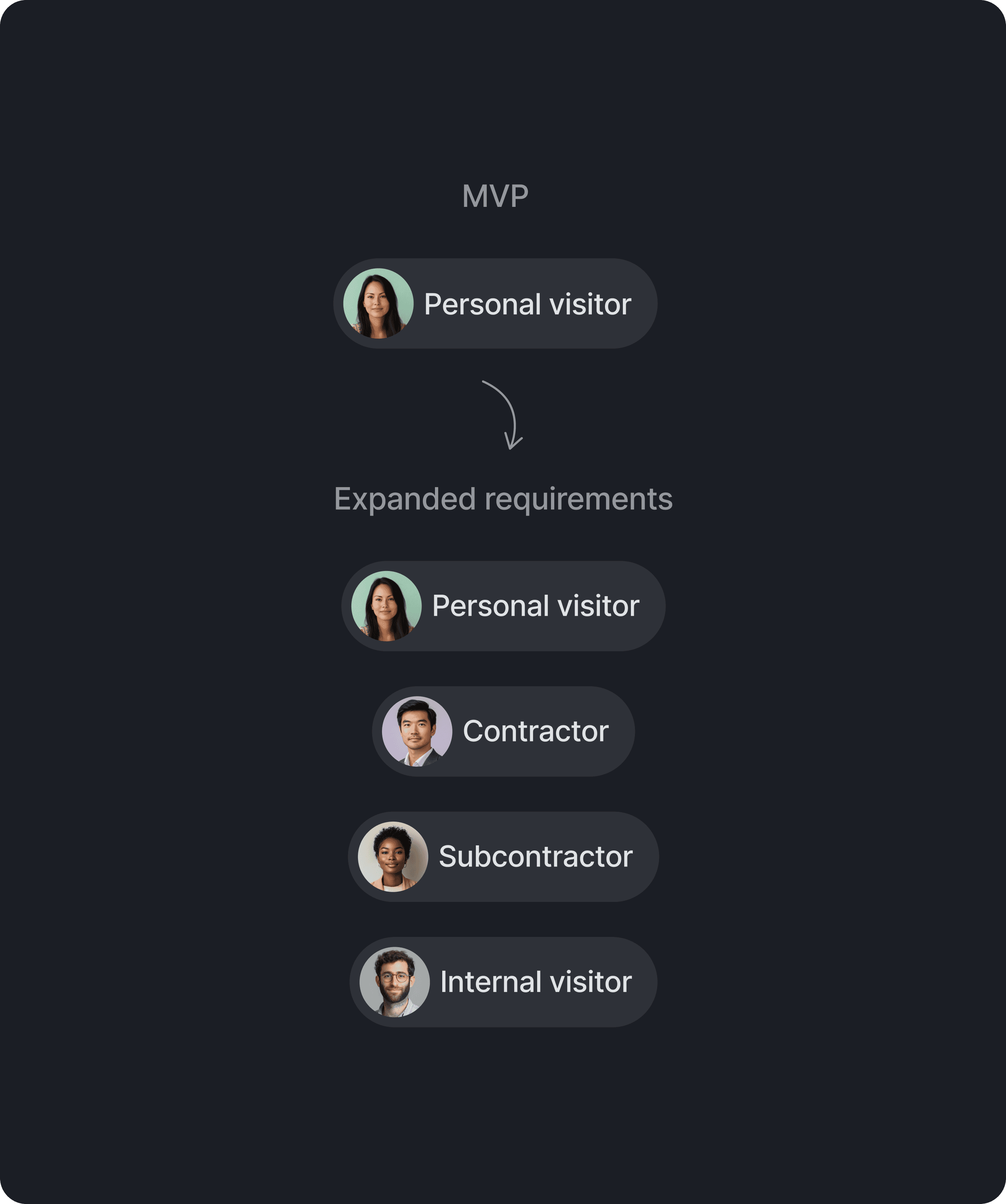
To understand real user needs, we interviewed the three user groups who run daily security operations. They confirmed the need to fully support four visitor types, each has different metadata, risk levels, and verification logic:

To understand real user needs, we interviewed the three user groups who run daily security operations. They confirmed the need to fully support four visitor types, each has different metadata, risk levels, and verification logic:

  • Personal — simple one-off guests

  • Contractor — vendors hired by the base

  • Subcontractor — vendors hired by contractors

  • Internal — employees from the facility

To understand real user needs, we interviewed the three user groups who run daily security operations. They confirmed the need to fully support four visitor types, each has different metadata, risk levels, and verification logic:

  • Personal — simple one-off guests

  • Contractor — vendors hired by the base

  • Subcontractor — vendors hired by contractors

  • Internal — employees from the facility

To clarify how different visitor types should be structured, I created a role-driven hierarchy table that aligned design, engineering, and security teams on a shared understanding of the data model.

Later, I mapped the end-to-end happy path across Sponsor, Security Manager, BCO and Gate Guard workflows. This revealed how information moves through the system and where role-specific data is required for accurate decision-making.

Design Solutions

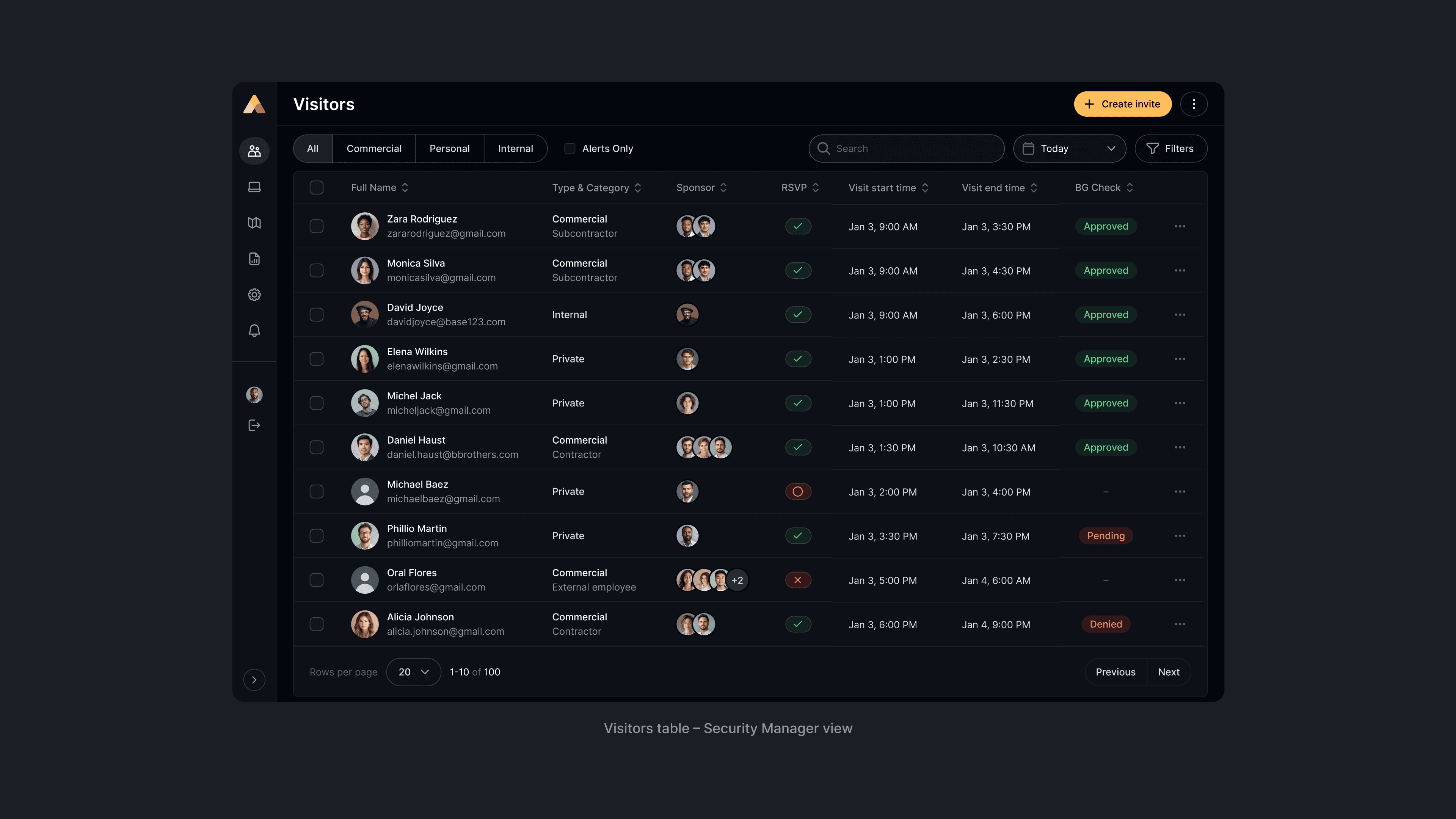
The invitation flow starts in the Visitors Dashboard, where a Security Manager creates a new visit.

Now it supports four visitor types, surfaces essential metadata (category, project, sponsor group, RSVP, BG status), and introduces structured filters designed for real SM workflows.

Now it supports four visitor types, surfaces essential metadata (category, project, sponsor group, RSVP, BG status), and introduces structured filters designed for real SM workflows.

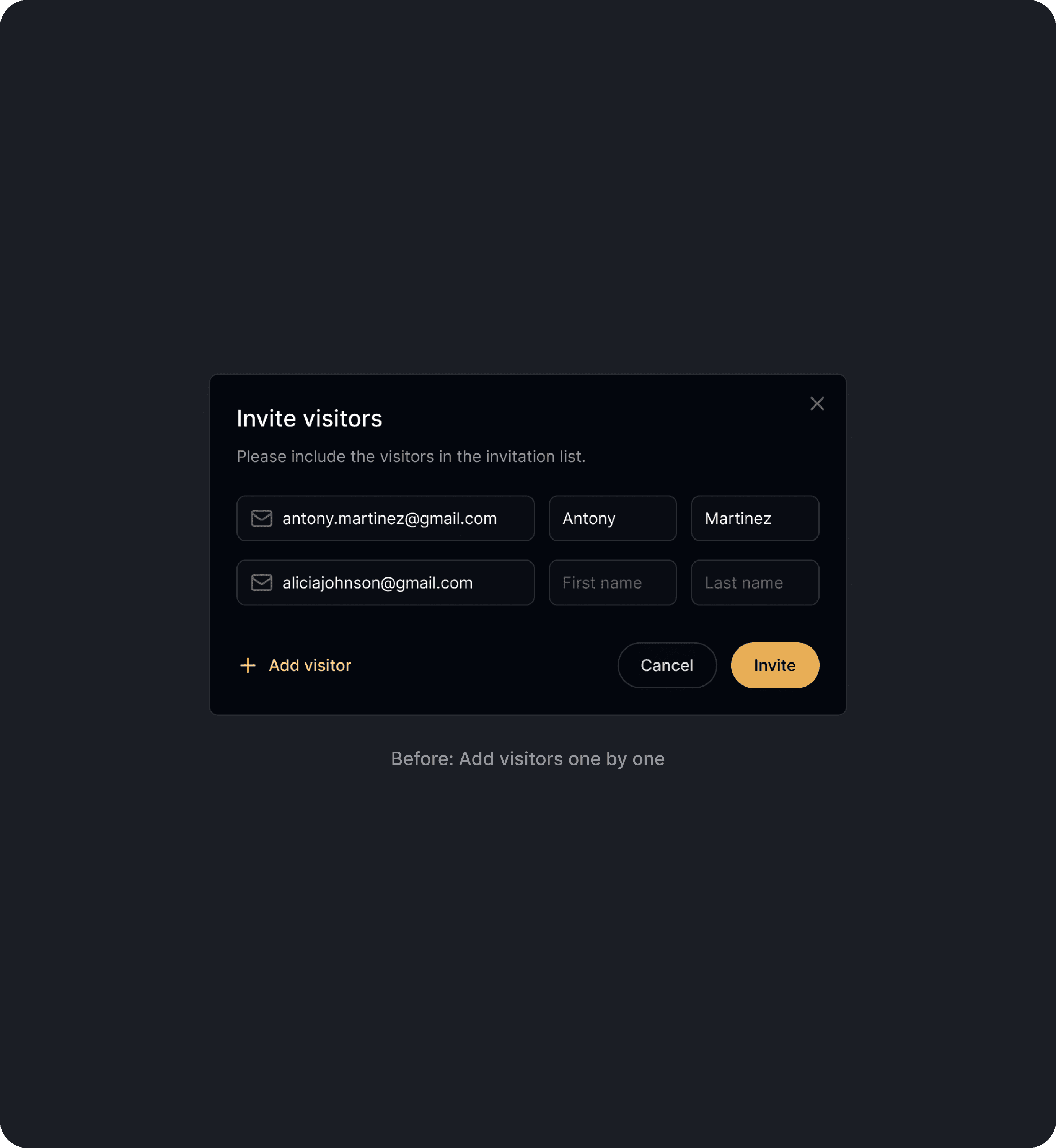
The Create Invite page evolved into a structured two-column layout that separates invitation details from visitor information. The form now adapts dynamically to differant visitor types, showing only the relevant fields.

The Create Invite page evolved into a structured two-column layout that separates invitation details from visitor information. The form now adapts dynamically to differant visitor types, showing only the relevant fields.

The new layout reduces cognitive load, minimizes errors, making the workflow significantly faster and more accurate.

The new layout reduces cognitive load, minimizes errors, making the workflow significantly faster and more accurate.

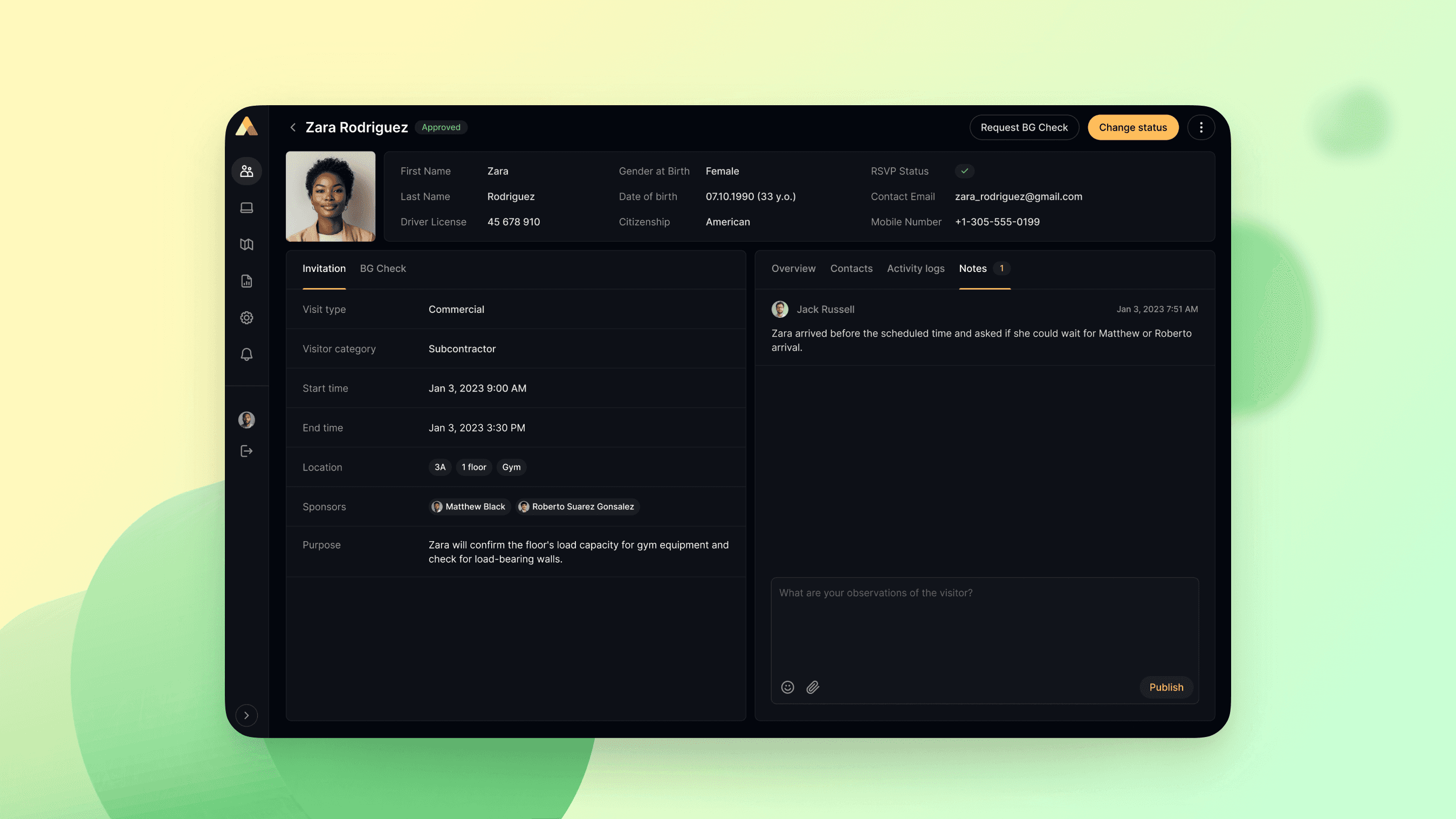
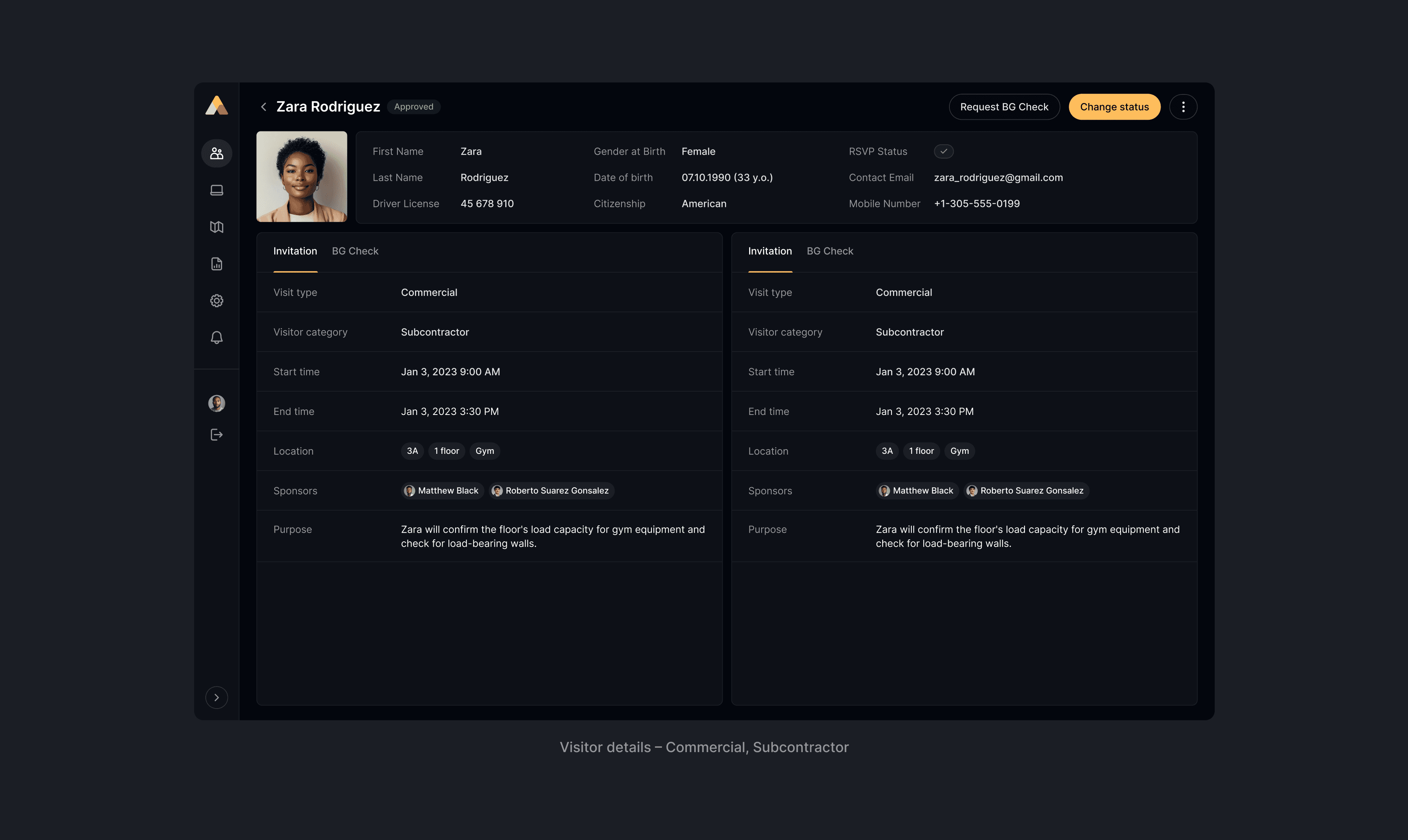
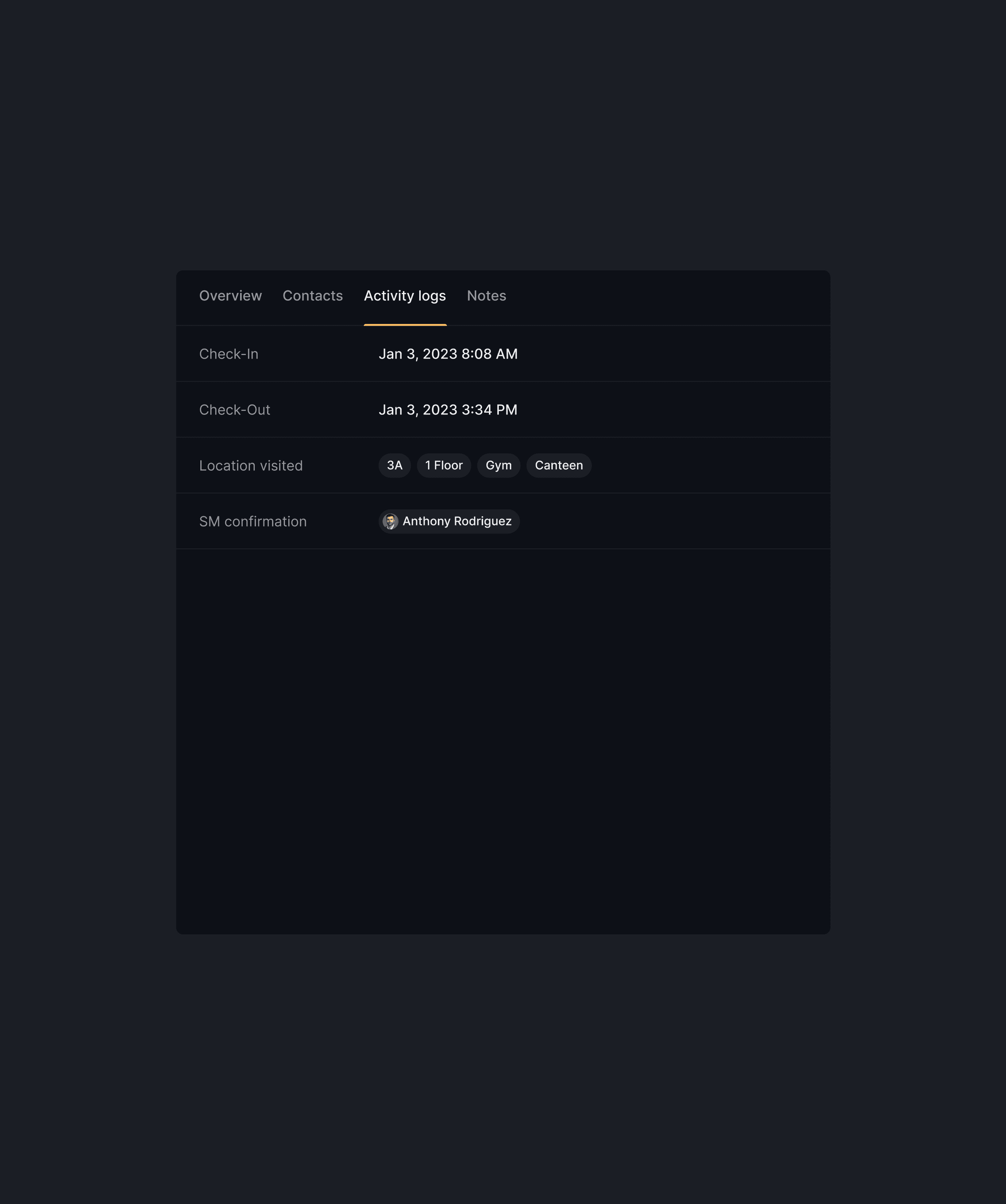
The screens below illustrate how Visitor Details adapt across different system statuses, each with context-appropriate actions for Security Manager.

The main difference between visitor types are:

  • Personal visitors require only a simple identity overview,

  • Contractors and Subcontractors display additional metadata including company information, project assignments, and parent-company relationships.

Results

We scaled the VMS from a simple visitor list to a role-aware operational platform. Six months after rollout, we noticed significant improvements in both security performance and operational efficiency:

  1. Gate check-in time decreased from 3.5 minutes to 1 minute, reducing queueing, freeing security personnel, and improving the overall visitor experience.

  2. Security blind spots were removed through through the introduction of structured data, standardized visitor types, and
    a complete digital audit trail.

  3. The platform passed a full security audit on the first attempt, meeting industry and facility compliance standards.

  4. The system scaled from one facility to three, with no additional redesign.

Lessons & learnings

This project taught me that scaling a product isn’t about adding complexity, but about creating clarity. I learned how essential it is to design for the specific needs of different security roles, and how much the underlying data model shapes the overall experience.

Most of all, it reminded me again why my work matters and why I enjoy it: turning high-stakes problems into solutions that people trust and rely on every day.